

Post, partner, and dispatch loads all in one place
Get shipments moving with more confidence and greater efficiency.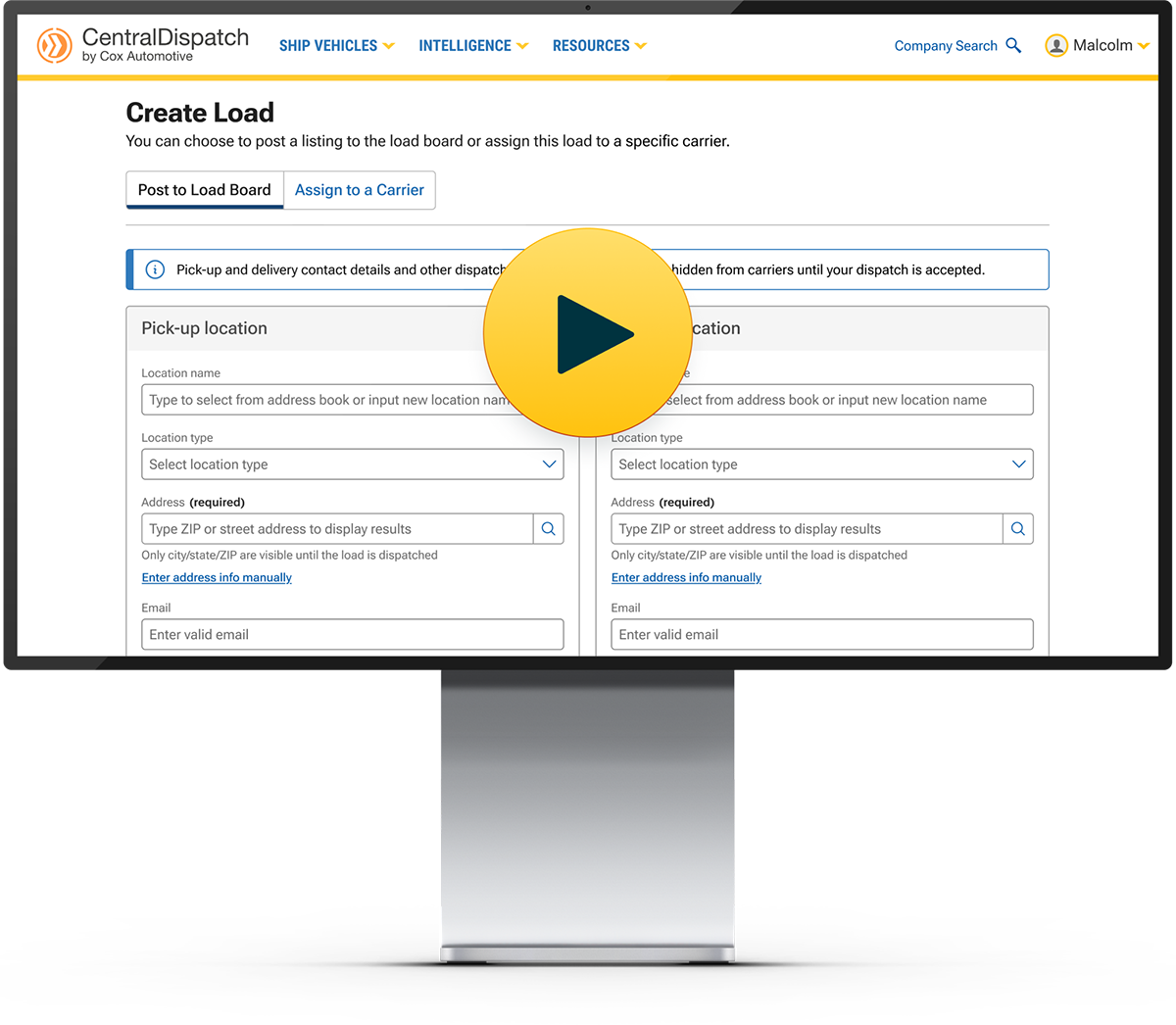

The Create Load page lets shippers list on the marketplace, view carrier details, and dispatch vehicles in a single dashboard—eliminating double entry and making it easier to get shipments moving.

Do It All In Once Place
No more back and forth hassle. Enter your delivery details, post, view carrier details, and assign loads in a single intuitive dashboard.

Partner With Confidence
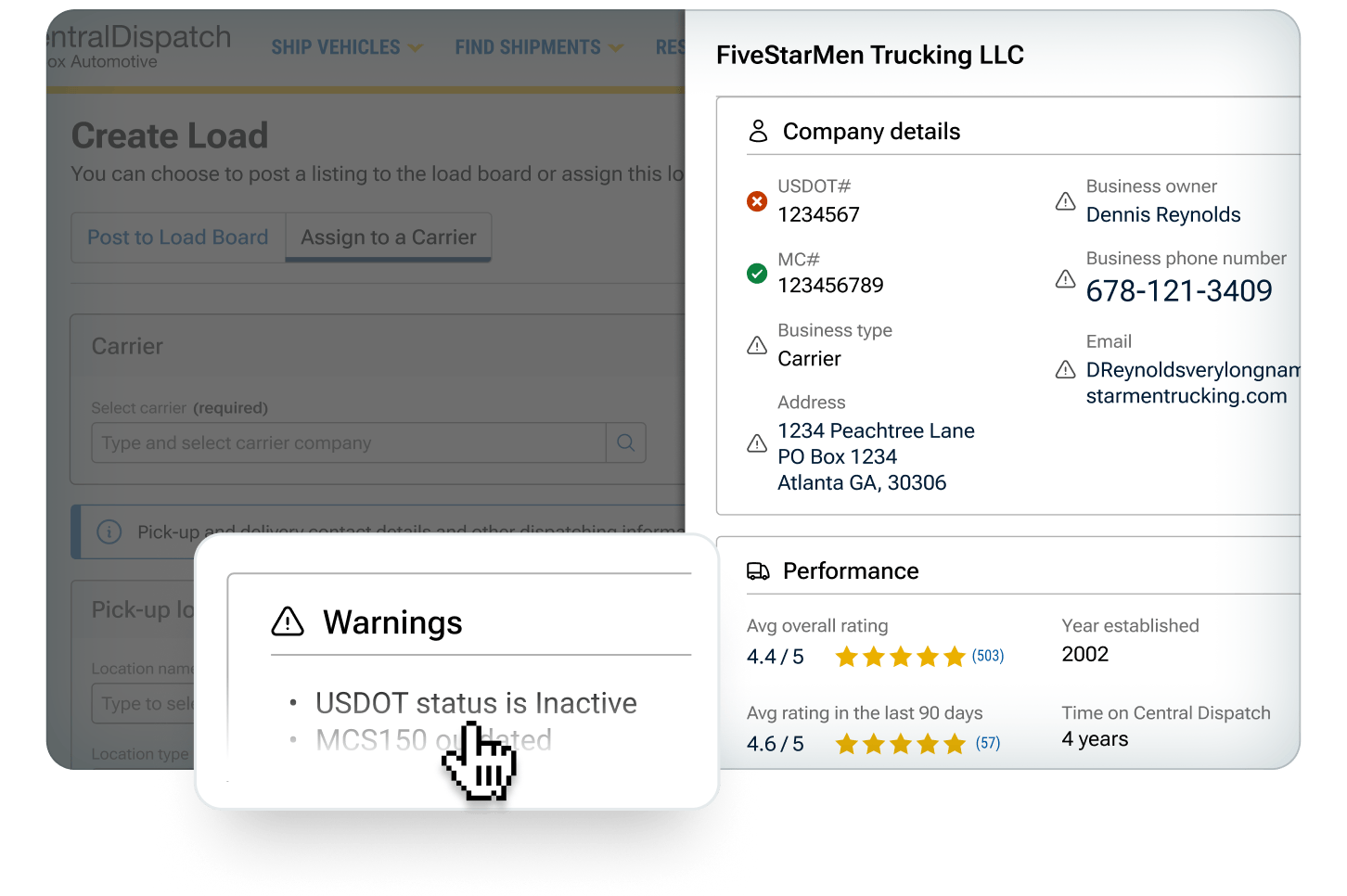
The carrier scorecard gives you a snapshot of every carrier’s ratings, work history, and FMSCA details for quicker, more confident decisions.
Seamless Data Transfer
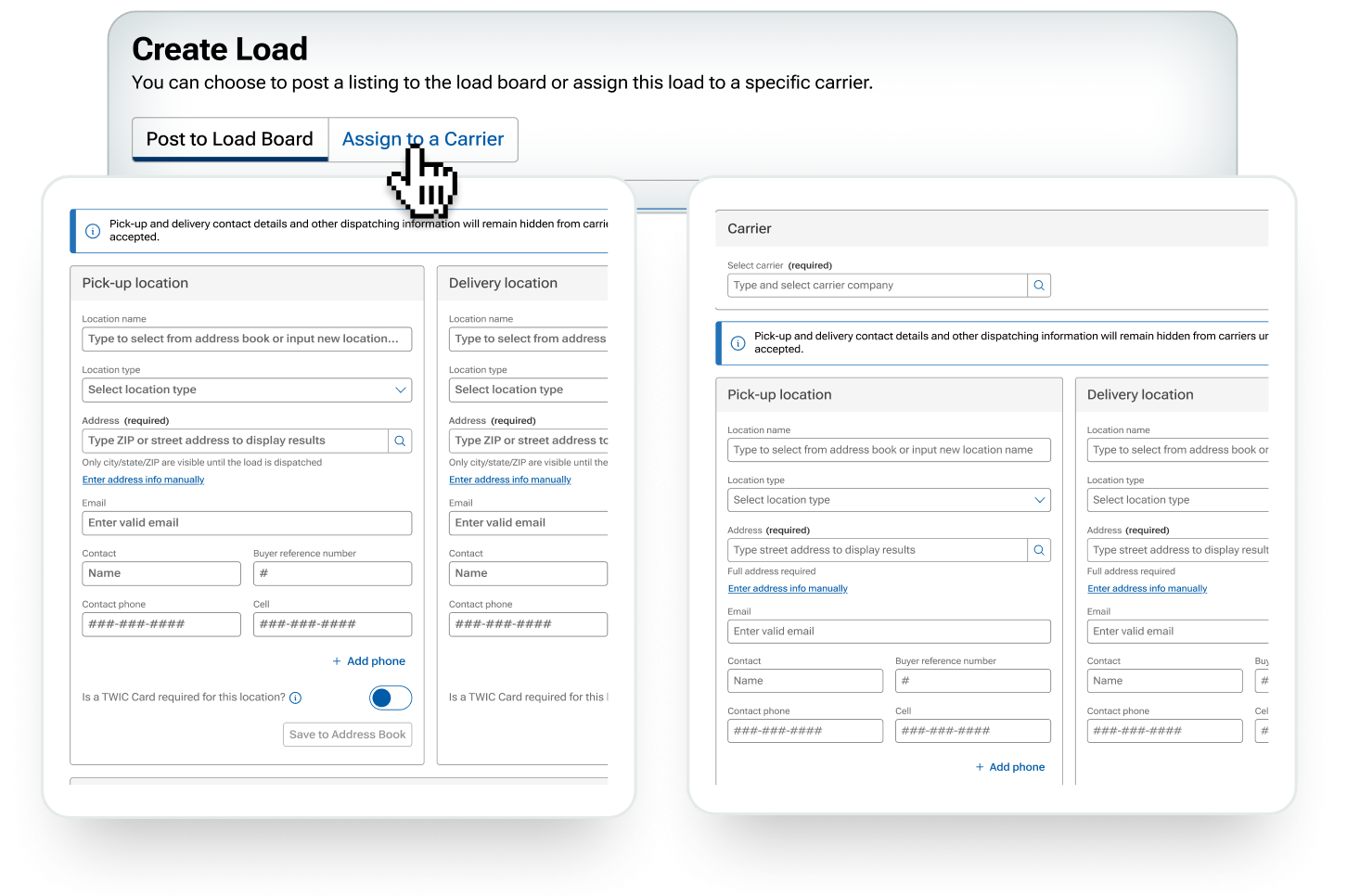
Post or assign in one central location
With seamless data transfer between tabs, entering your delivery details in one form automatically populates the other. So you can post to the load board, or assign directly to a carrier quickly and easily. If you’ve saved a preferred carrier, their name will appear in the drop-down menu for even faster access.
Carrier Scorecard
Get a snapshot of every carrier before partnering with them
Selecting a carrier brings up their carrier scorecard, where you’ll see all their company details, Transactional Ratings, and flags for any missing or expired FMSCA details.
FAQs
Yes, the new Create Load experience is replacing “Create Listing” and “Create Dispatch”, previously in the “Ship Vehicles” dropdown. This allows both of these functions to be in one streamlined experience. See step-by-step instructions on how to use the Create Load experience here.
No, this new create load experience will not impact any current listings or dispatches.
Yes, you can still go to a carrier’s profile directly for all their company information and ratings. The new carrier scorecard allows you to view it alongside your listing as a final check before assigning to a carrier. You can also add carriers to your preffered list in order to see them at the top of the list when assigning a dispatch, or block them so as not to see them at all. Learn more about preferred or blocked carriers here.
Yes, you can post new loads from a mobile device web browser.
