

Find a Carrier for Premium Shippers
Overview
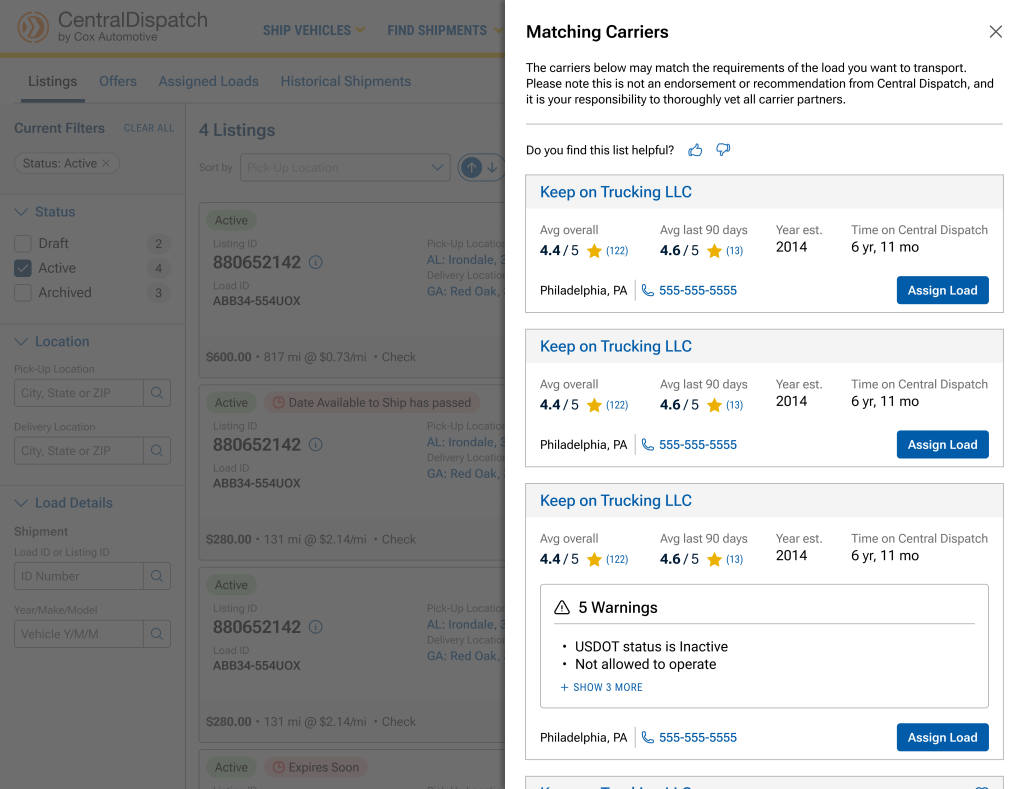
The Find Carriers feature allows Premium Shippers to proactively identify and assign recommended carriers when a listing is not receiving enough engagement.
- Displays up to 10 recommended carriers based on our internal model
- Designed to speed up dispatching and reduce time on the load board
- Available after a listing is posted
What’s New
- New Find Carriers button on the Manage Listings page
- Displays recommended carriers directly within the platform
- Allows faster assignment to a selected carrier
When to Use This Feature
- A listing is active but not receiving calls, bids, or carrier interest
- The shipper wants to proactively assign a carrier
- The shipper is a Premium Plan user
Find Carriers is NOT Available For
- Listings with non-U.S. origins or destinations
- Listings outside the supported price range (~$35–$20,000)
- Listings with a price per mile outside the supported range of $0.20–$25 (If the listing does not meet eligibility requirements, carriers will not be returned and the user may see an error message)
Step-by-Step Process
Step 1: Navigate to Manage Listings
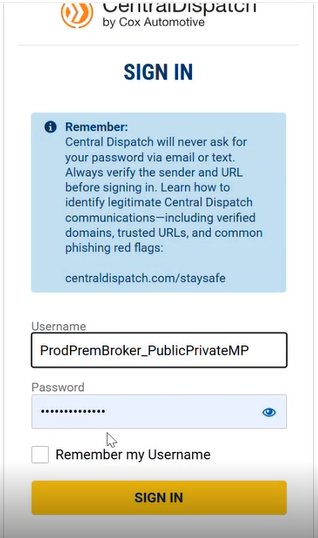
- Log in to Central Dispatch
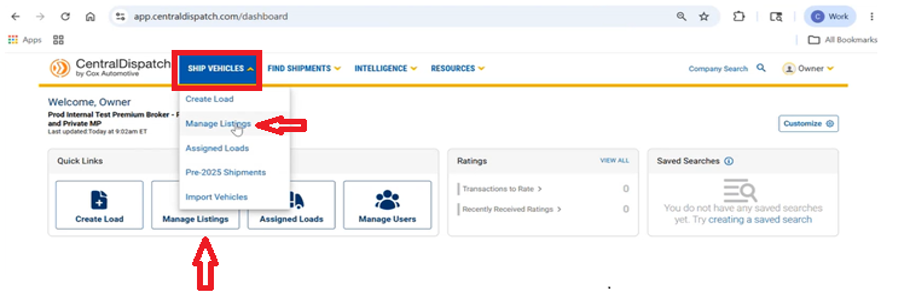
- Go to Manage Listings
- Via dashboard quick link OR
- Top navigation menu
Step 2: Locate the Listing
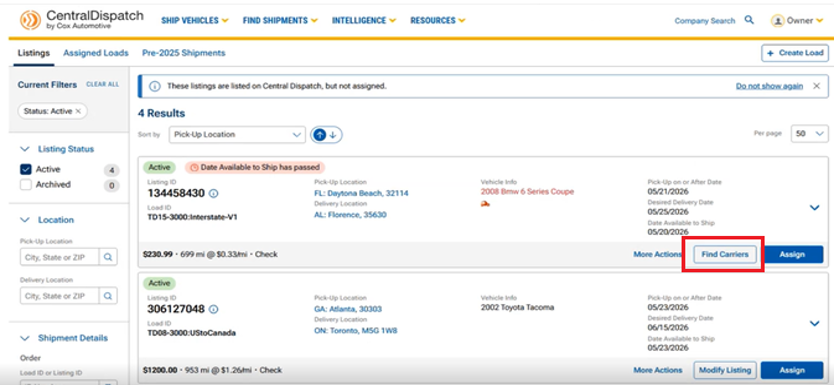
- Find the listing you want to move
- Click “Find Carriers”
Step 3: Review Recommended Carriers
- The system displays up to 10 recommended carriers based on:
- Historical performance
- Lane data
- System insights
- Each carrier includes (For detailed information select a carrier from the list):
- Company details
- Contact information
- Ratings / Trust indicators
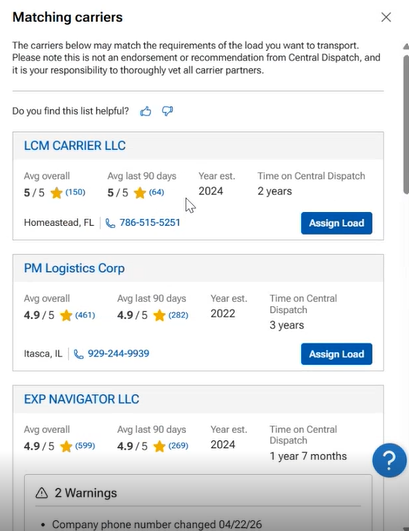
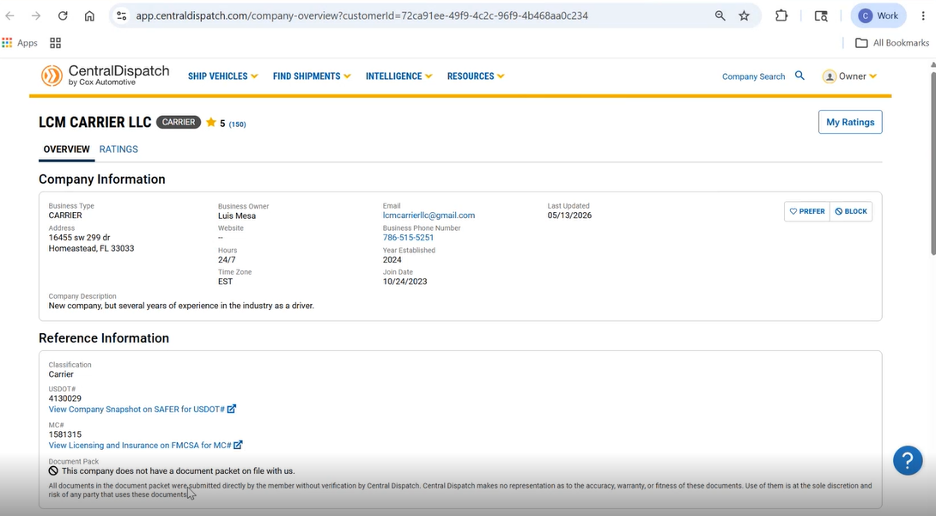
- Important:
- These are system-generated recommended carriers only
- Shippers must verify and vet carriers independently
Step 4: Assign Load to a Carrier
- Select a carrier from the recommended list
- Click “Assign Load”
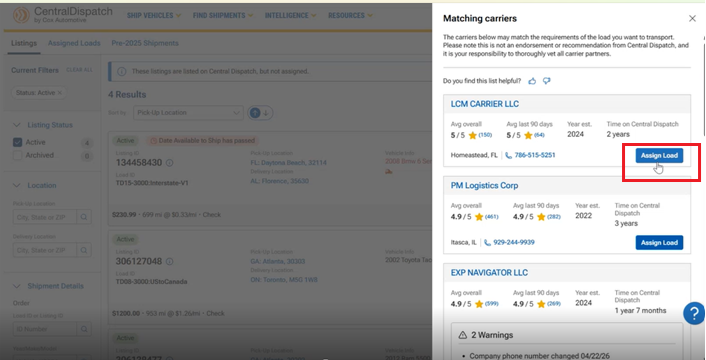
- System redirects to Assign Load page
- Shipper can view Pick-Up Location and Delivery Location information
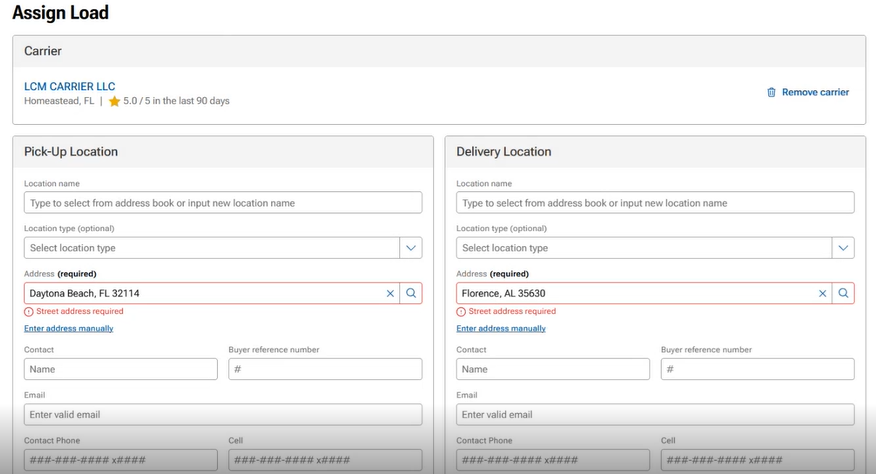
- Shipper can view Pick-Up Location and Delivery Location information
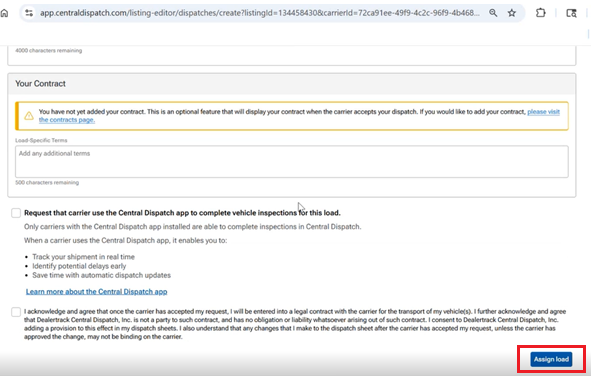
Step 5: Complete Assignment
- Review pre-filled details
- Complete and confirm assignment by clicking Assign Load at bottom of the page
FAQs
Find Carrier is a tool available to Premium Shippers that recommends carriers for a listing based on historical data, lane activity, and system insights. It helps shippers to proactively identify carriers when a listing is not receiving enough engagement.
This feature is available exclusively to Premium Shippers as part of the Premium product offering.
Find Carrier helps shippers move from a passive approach of waiting for carriers to a more proactive approach by identifying and selecting potential carriers.
Shippers should use Find Carrier when their listing:
- Is active but not receiving calls or bids
- Needs additional visibility or engagement
- Requires a more proactive approach to finding carriers
Carrier recommendations are based on:
- Historical performance
- Lane activity and data
- System-driven insights
- Trust and reliability indicators
No. The carriers are recommendations only. Shippers are responsible for reviewing and verifying carriers independently before assigning a load.
No. This feature provides recommendations only and does not guarantee that a carrier will accept or complete the load.
The shipper is directed to the Assign Load page, where the carrier and listing details are automatically populated.
Yes. This enhancement is currently in progress and will allow shippers to remove carriers from their selection options.

